
🧮 KaTeX Arrays
Create non-database tables in Notion with the math block inside Notion. This block option allows for KaTeX formatting of which can create mathematical equations, custom tables, and more with a little creativity. The following KaTeX examples focus on different table stylings to copy and customize inside your workspace.
Trigger Math Block: “/Math”
How to turn the following code into an Inline table: “$$ code here … $$”
Checkbox Table

\begin{array}{c:ccccccc}
Daily & Mo & Tu & We & Th & Fr & Sa & Su \\ \hline
Run & [x] & [] & [x] & [x] & [] & [x] & []\\
Work & [x] & [x] & [x] & [x] & [] & [] & [x] \\
Meds & [x] & [] & [x] & [] & [x] & [] & [] \\
\end {array}
4 Quadrant Matrix

\begin{array}{c:c}
\text{Quad 1} &
\text{Quad 2} \\ \\ \hdashline \\
\text{Quad 3} &
\text{Quad 4}\\
\end {array}
Classic Table

\begin{array}{c:c:c:c}
\color{blue}\text{Accents} &
\color{red}\text{Name} &
\color{red}\text{French} &
\color{red}\text{Letters Used} \\ \hline &
\text{acute accent} &
\text{accent aigu} &
\text{é only} \\ \hdashline &
\text{grave accent} &
\text{accent grave} &
\text{è, à, ù } \\ \hdashline &
\text{circumflex} &
\text{accent circonflexe} &
\text{â, ê, î, ô, û} \\ \hdashline &
\text{diaeresis} &
\text{tréma} &
\text{ë, ï, ü, ÿ} &
\\ \hdashline &
\text{cedilla} &
\text{cédille} &
\text{ç only }
\end{array}
Simple Table

\begin{array}{cccc}
\text{Title 1} &
\text{Title 2} &
\text{Title 3} &
\text{Title 4} &
\text{Title 5} \\ \hline \\
\text{Data}^1 &
\text{Data}^2 &
\text{Data}^3 &
\text{Data}^4 &
\text{Data}^5
\end {array}
Pro & Con List
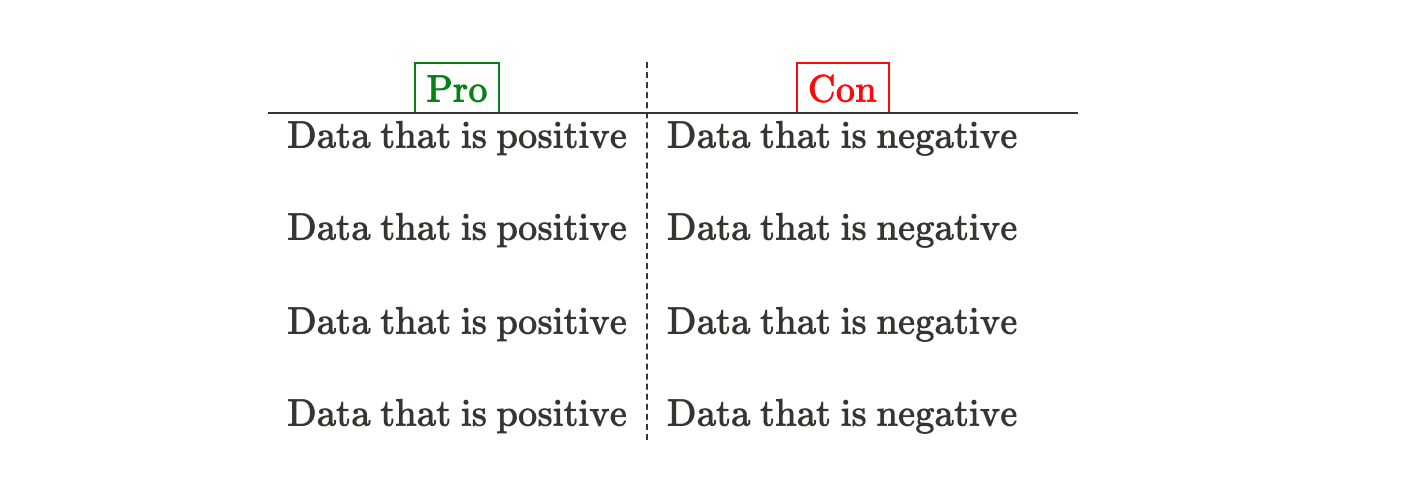
\begin{array}{c:c}
\color{green}\fbox{Pro} &
\color{red}\fbox{Con} \\ \hline
\text{Data that is positive} &
\text{Data that is negative} & \\ \\
\text{Data that is positive} &
\text{Data that is negative} & \\ \\
\text{Data that is positive} &
\text{Data that is negative} & \\ \\
\text{Data that is positive} &
\text{Data that is negative} &
\end {array}
Complex Table
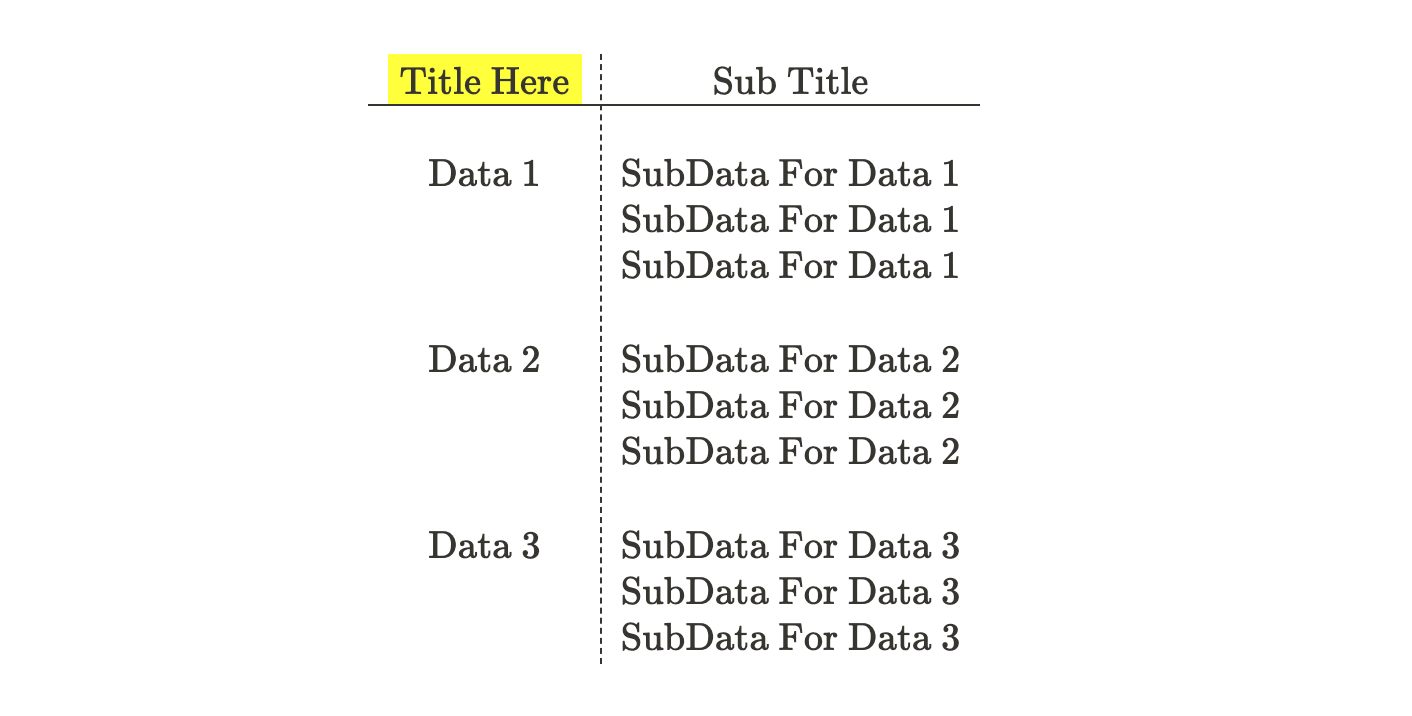
\begin{array}{c:c}
\colorbox{yellow}{Title Here} &
\text{Sub Title} \\ \hline \\
\text{Data 1} &
\text{SubData For Data 1} \\ &
\text{SubData For Data 1} \\ &
\text{SubData For Data 1} \\ \\
\text{Data 2} &
\text{SubData For Data 2} \\ &
\text{SubData For Data 2} \\ &
\text{SubData For Data 2} \\ \\
\text{Data 3} &
\text{SubData For Data 3} \\ &
\text{SubData For Data 3} \\ &
\text{SubData For Data 3} \\
\end {array}